
The Issue
I've been plagued with this issue on one single macos device for a while and I've not been sure as to why, I've tried uninstalling and reinstalling to no avail, and google wasn't much help.
Ultimately the Zoom app itself couldn't connect to meetings.
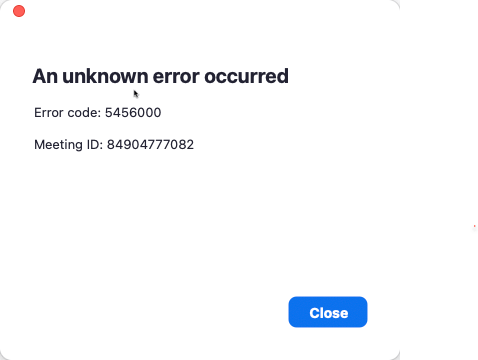
An unknown error occurred
Error code: 5456000
The Cause
I've no idea what the exact cause is, however I realised the app had zero network connectivity when it couldn't even check for updates, even after uninstall and reinstall.
The Fix
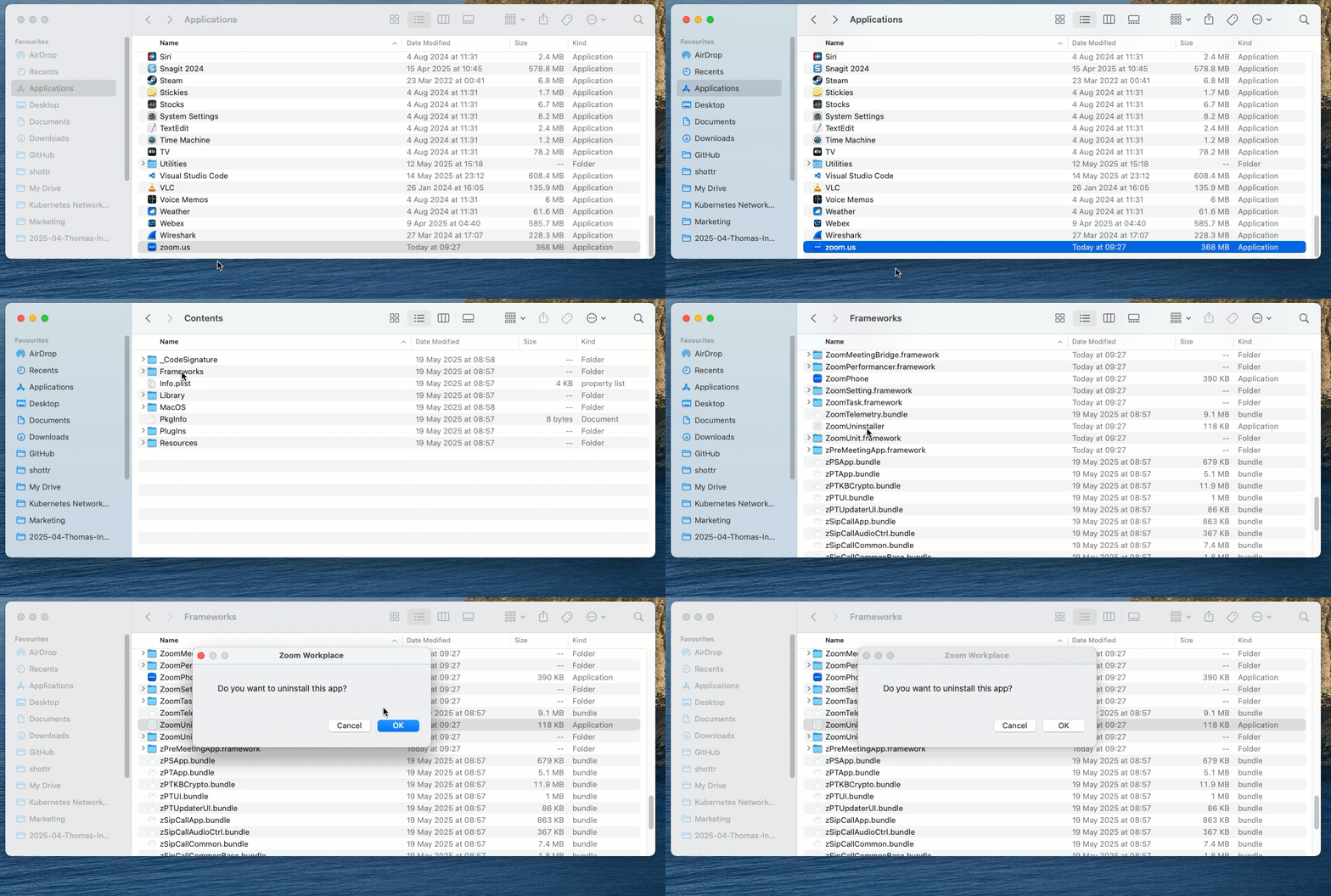
Don't uninstall by moving the app to the trash bin, instead uninstall it this way:
Applications > Zoom > Right Click - Show Package Contents > Click into the Contents Folder > Click into Frameworks > Run the ZoomUninstaller file
Once completed, I'd say it's a good idea to do a full restart of your macbook, and then reinstall from the latest package downloaded on zoom.us.
Regards
This was such a well-researched and insightful piece.